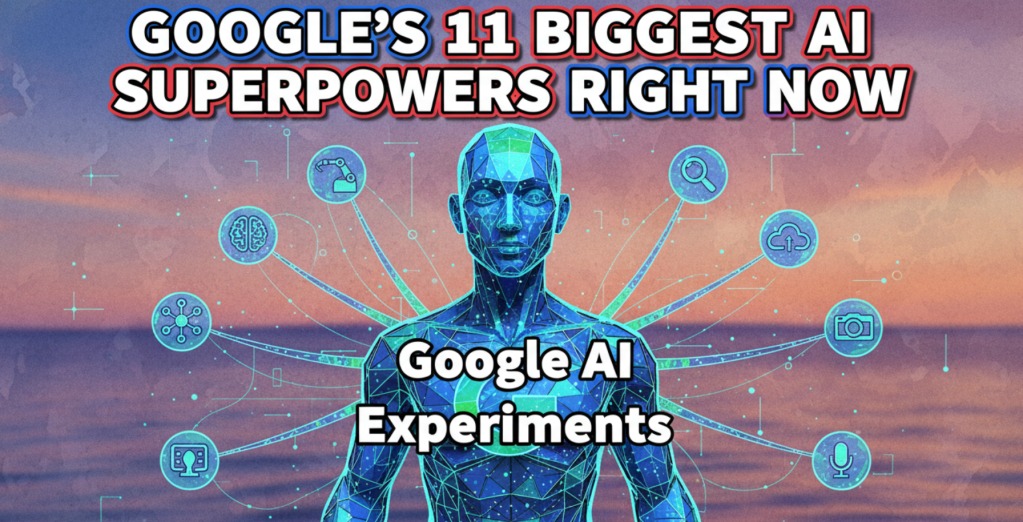
Stop Everything and Look at This: Google’s 11 Biggest AI Superpowers Right Now
Stop Everything and Look at This: Google’s 11 Biggest AI Superpowers Right Now
Okay, let’s cut the fluff. AI isn’t some abstract, “future” thing anymore – it’s built right into the apps you use every single day. If you’re not using these Google AI tools, you are literally leaving money, time, and creative potential on the table.
Think of this as the definitive, no-jargon cheat sheet to the most powerful AI tech Google has dropped for regular people and small businesses.
Here are the 11 major Google AI products and what they actually do:
1: Gemini (The Ultimate Brain for Hire)
What it is: This is Google’s biggest, most capable Artificial Intelligence model that powers almost everything else on this list. Think of it as your new personal assistant, genius coder, and research librarian all rolled into one app. It’s what you use to have a conversation with the AI directly.
Key Action: Use it for high-level tasks. Need to quickly summarize a massive 50-page PDF report you found online? Gemini can handle it. Are you trying to brainstorm 20 viral headlines for a new product? It’ll generate them in seconds. It’s “multimodal,” which is a fancy way of saying it can understand text, pictures, and code all at once, making it uniquely skilled at making sense of complex information.
2: AI Overviews in Google Search (The Instant Answer Machine)
What it is: Formerly called Search Generative Experience (SGE), this is the biggest change to Google Search since, well, forever. When you type in a question, the AI Overviews feature pops up a concise, instantly generated summary answer right at the top of the search results page. It’s designed to save you time by not making you click through ten different websites.
Key Action: Use it for complex questions that require synthesis. Instead of searching, “Best air fryer for a family of six under $150 with good reviews,” just ask it directly. It will pull the relevant data from multiple sources and present a simple, bulleted list of recommendations, which is huge for comparison shopping or starting research fast. It essentially acts as a pre-filter for the whole internet.
3: Gemini for Google Workspace (The Productivity Shortcut)
What it is: This is the AI woven directly into your Gmail, Google Docs, Sheets, and Slides. It’s the ultimate productivity booster that handles the boring, repetitive, day-to-day stuff. This is what you see as the “Help me write” buttons inside your work apps.
Key Action: Stop wasting time writing from scratch. In Gmail, ask it to draft a “professional but firm email following up on an unpaid invoice.” In Google Docs, you can instantly turn a bulleted outline into a full, professional blog post. In Slides, tell it to “create 10 slides summarizing our Q3 performance data from the linked spreadsheet.” It handles the formatting, text, and structure for you, meaning you spend way less time staring at a blank page.
4: Magic Editor in Google Photos (The Photoshop Killer)
What it is: This is the AI feature that lets you do crazy, professional-grade photo edits on your phone without needing complex skills. It’s the ultimate photo fixer that uses powerful generative AI to understand the contents of your pictures and let you change them on the fly.
Key Action: Never settle for a bad photo again. Did a stranger walk into the background of your perfect vacation picture? Tell the Magic Editor to remove them. Is the sun setting too low in your landscape shot? You can drag the sun and physically move it higher in the picture. It uses AI to intelligently fill in the empty space and create completely new context, making it seem like the change was always there. This level of simple-click power used to require hours of training.
5: Circle to Search (The Phone-Based Visual Sleuth)
What it is: Available on many modern Android phones, this AI feature lets you search for anything on your screen just by circling it. It moves the traditional, slow process of taking a screenshot, cropping, and uploading it to a search engine into a single, seamless action.
Key Action: Instant information lookup. You’re scrolling through Instagram and see a friend wearing a cool pair of sneakers. Circle the sneakers on your screen. The AI instantly scans the image, finds the product, and shows you where to buy them, or what brand they are. It works for complicated logos, specific building architecture, or even a foreign language you don’t recognize in a video.
6: AI Overlays for Google Maps (The Smart Navigation Helper)
What it is: While not a single, flashy product, Google Maps uses deep AI models to process satellite images and Street View data to create an incredibly realistic, high-definition model of the world—the “Immersive View.”
Key Action: Use it for ultra-realistic planning. Instead of just seeing a flat map, you can use the AI to literally fly over your route in a 3D environment, see what the weather will look like at your arrival time, and even see the real-time crowd level inside a coffee shop before you walk in the door. The AI synthesizes massive amounts of visual data to create a living, digital twin of the city you are navigating.
7: Veo and Google Vids (The Video Creation Studio)
What it is: Veo is Google’s state-of-the-art video generation model. It takes a simple text prompt and generates high-definition, consistent video clips. While the core model is new, the user-facing tools like Google Vids (part of Google Workspace) bring this power to you to create business-ready videos with minimal effort.
Key Action: Generate marketing content in minutes. You can type in a prompt like “An energetic short clip of a golden retriever puppy running through a field of sunflowers at sunrise, 10 seconds long.” The AI generates the entire scene, including movement, shadows, and sometimes even native audio, all based on your text. This is a game-changer for content creators and small businesses needing quick, customized visual assets.
8: Image Creator (The Artistic Generator)
What it is: This is the tool that lets you turn words into amazing, unique pictures. It uses Google’s core text-to-image models (like Imagen) and makes them available for anyone to play with directly inside the Gemini app or Google search.
Key Action: Create custom visuals instantly. Tired of paying for stock photos? Need a unique graphic for a presentation? Type in “A watercolor painting of a sad bulldog wearing a tiny sailor hat, vintage cartoon style.” The AI will render it in seconds, giving you unlimited, unique, and high-quality images ready for blogs, social media, or school projects.
9: MusicFX and MusicLM (The Soundtrack Factory)
What it is: These are powerful, experimental tools that use AI to create original musical tracks from scratch based on a text prompt. Instead of needing a musician or a recording studio, you just tell the AI what sound you want.
Key Action: Create royalty-free background audio. Need a 30-second loop of “upbeat, 8-bit chiptune music perfect for a retro gaming video”? You simply type that in, and the AI generates the music. This is critical for content creators, podcasters, and filmmakers who need unique, customizable, and—most importantly – safe-to-use background scores.
10: Call Screen and Hold For Me (The Robot Phone Secretary)
What it is: Found on Google Pixel phones and the Google Phone app, this AI intercepts calls from unknown numbers, screens them for you, and even handles the annoying parts of a conversation. It turns your phone into a smart filter for interruptions.
Key Action: Never talk to a spam caller again. When an unknown number rings, the AI answers, asks who they are, and transcribes the conversation for you in real-time. If it’s a doctor’s office putting you on hold, the “Hold For Me” AI sits on the line instead of you, then alerts you the instant a human comes back, saving you from listening to terrible hold music.
11: Vertex AI (The Business Building Block)
What it is: This is Google’s main platform for developers and big companies. Think of it as the ultimate AI workshop where businesses can take Google’s powerful models and build their own custom AI applications without needing to be machine learning PhDs.
Key Action: If you run a business, this is how you customize AI. A bank might use Vertex AI to train a specific fraud detection model on their private data. An e-commerce site might use it to build a hyper-personalized recommendation engine for clothes. It takes the power of Google’s research and lets your company apply it to your specific, internal problems.
Look, the bottom line is that AI is not a niche tool; it’s the core engine of everything Google does now, from searching the web to editing your family photos. If you’re still doing tasks the old-fashioned way, you are missing out on serious, game-changing leverage.
I’D LOVE TO HEAR FROM YOU:
Which of these 11 tools are you going to use first to buy back some of your time this week? Drop your answer in the comments.
And if your business needs a roadmap to actually implement these kinds of AI superpowers, don’t wait. We’re actually partnering with Google’s AI team to experiment with ALL of these tools, one-by-one, and will documenting our progress and experiments. Schedule a call – let’s brainstorm some ideas.
The information presented here is based on publicly available Google AI products and features as of the date of publication- November 10, 2025. Product names, features, and availability (especially for experimental tools) are subject to change without notice by Google.
#GoogleAI #Gemini #AITools #GenerativeAI #ProductivityHacks #AI #TechExplained #ChatGPT #OpenAI
Thanks for reading,
Talk Soon,
Sid Peddinti, Esq.
The Next Steps:
If you’re ready to stop consuming and start vending, grab the blueprint for turning your AI knowledge into a high-profit service. Book a free consultation or attend a free workshop to explore some of the high-ROI models.
Disclaimer: This article provides strategic insights and general advice for building a technology-based service business. Success in any business venture is not guaranteed and depends on individual effort, market conditions, and effective execution. Always consult with financial and legal professionals before making significant business decisions.
#AIVendor #MakeMoneyWithAI #AIBusiness #AIAutomation #DigitalWealth #BusinessScaling #Startups



 Law and Tax magazine
Leave a comment